
Fixing Slow Speeds, Dead Zones, and Dropped Connections at Home
Home network installation services solve problems like slow internet, weak Wi-Fi signals, dead zones, and devices that keep disconnecting. If your video calls freeze or your smart TV buffers all night, there is usually a clear reason. Most home network problems come from poor router placement, old equipment, bad wiring, or too many devices on one system.
Common Symptoms of Home Network Problems
Many homeowners notice the same warning signs when their network is not set up correctly.
- Wi-Fi works in one room but not another
- Internet slows down at night
- Video calls drop during work or school
- Smart home devices go offline
- Gaming systems lag or disconnect
- Streaming services buffer often
These issues are frustrating. They also waste time and lower productivity, especially if you work from home.
Likely Causes Behind These Issues
Most problems have simple technical causes. The router may be in a poor location, such as inside a cabinet or behind thick walls. Large homes often need more than a single Wi-Fi router. Older homes can have outdated wiring that limits speed.
Other causes include:
- Old routers that cannot handle modern speeds
- Too many devices connected at once
- Interference from nearby networks
- Incorrect network settings
- Poor cable management or damaged Ethernet lines
In many homes, the internet plan is fast enough. The equipment and setup are the real problem.

What to Check First
Before calling for help, there are a few simple things you can check.
- Restart your modem and router.
- Move the router to a central, open space.
- Check for loose or damaged cables.
- Run a speed test near the router.
- Update your router firmware if possible.
If speed is strong near the router but weak in other rooms, you likely have a coverage problem. If speed is slow everywhere, the issue may be equipment or wiring.
Safe Fixes Vs Pro-Level Fixes
Some improvements are easy for homeowners. Others require professional tools and planning.
Safe fixes you can try:
- Upgrading to a newer router
- Adding a mesh Wi-Fi system
- Changing your Wi-Fi channel settings
- Placing extenders in proper locations
Pro-level fixes often handled by home network installation professionals:
- Running new Ethernet cables through walls
- Installing wired access points
- Designing a structured wiring panel
- Optimizing bandwidth for work and gaming
- Setting up secure networks for smart homes
Professional home network installation focuses on long-term performance, not quick patches. A wired backbone with properly placed access points often solves weak signal issues in larger homes. It also gives steadier speeds than wireless extenders alone.
How Proper Installation Prevents Future Problems
A well-planned network avoids many common headaches. When devices are balanced across the system, speeds stay steady. When routers and access points are placed correctly, dead zones disappear.
Good installation also includes:
- Secure password and firewall setup
- Guest network configuration
- Device prioritization for work calls or gaming
- Clean cable routing for safety and appearance
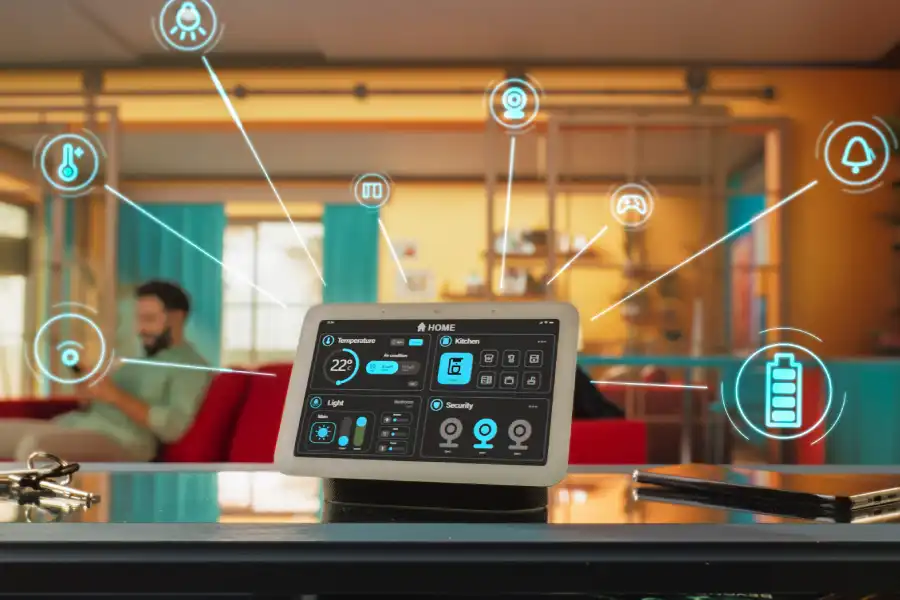
As homes add smart thermostats, cameras, doorbells, and voice assistants, network demand increases. A properly installed system grows with your needs instead of slowing down over time.
When to Call a Professional
If you have tried basic troubleshooting and still deal with slow speeds or signal problems, it may be time for expert help. Larger homes, multi-story layouts, and home offices often need more advanced design. Remodeling projects are also a good time to upgrade your network wiring.
A professional can test signal strength, check cable quality, and build a system that matches your home’s structure. Instead of guessing, you get a clear plan and lasting results.
Get Reliable Network Performance in Your Home
If you are dealing with dropped connections or weak Wi-Fi in Ellicott City, MD, help is available. At Sara Computer Service, we design and install reliable home networks that fit your space and your daily needs. Our team handles everything from new wiring to full system upgrades, and we make the process simple from start to finish. Call us at (667) 229-3910 to improve your home’s network performance and enjoy steady, fast internet throughout every room.